How do you do audit proof VAT ID verifications?

Alexandre Savio
Checking VAT IDs is an essential step in tax compliance when selling to other businesses (B2B).
To avoid paying consumption tax on their purchases, B2B customers may provide false VAT IDs.
If a business does not verify the validity of customers' VAT IDs and applies the reverse-charge mechanism to a sale with a fake VAT ID, the business may be held responsible for paying the VAT tax directly.
To ensure that VAT ID verifications are audit-proof, businesses can use the UK.GOV system for British VAT IDs, or the VIES system for European VAT IDs. These systems allow businesses to verify the validity of VAT IDs and provide proof of the verification for audit purposes.
This will protect your business from potential penalties or other repercussions if you are audited by the tax authorities. It will also help you establish credibility and trust with your customers and partners.
How to do an audit-proof British VAT ID manually?
You can use the UK.GOV system.
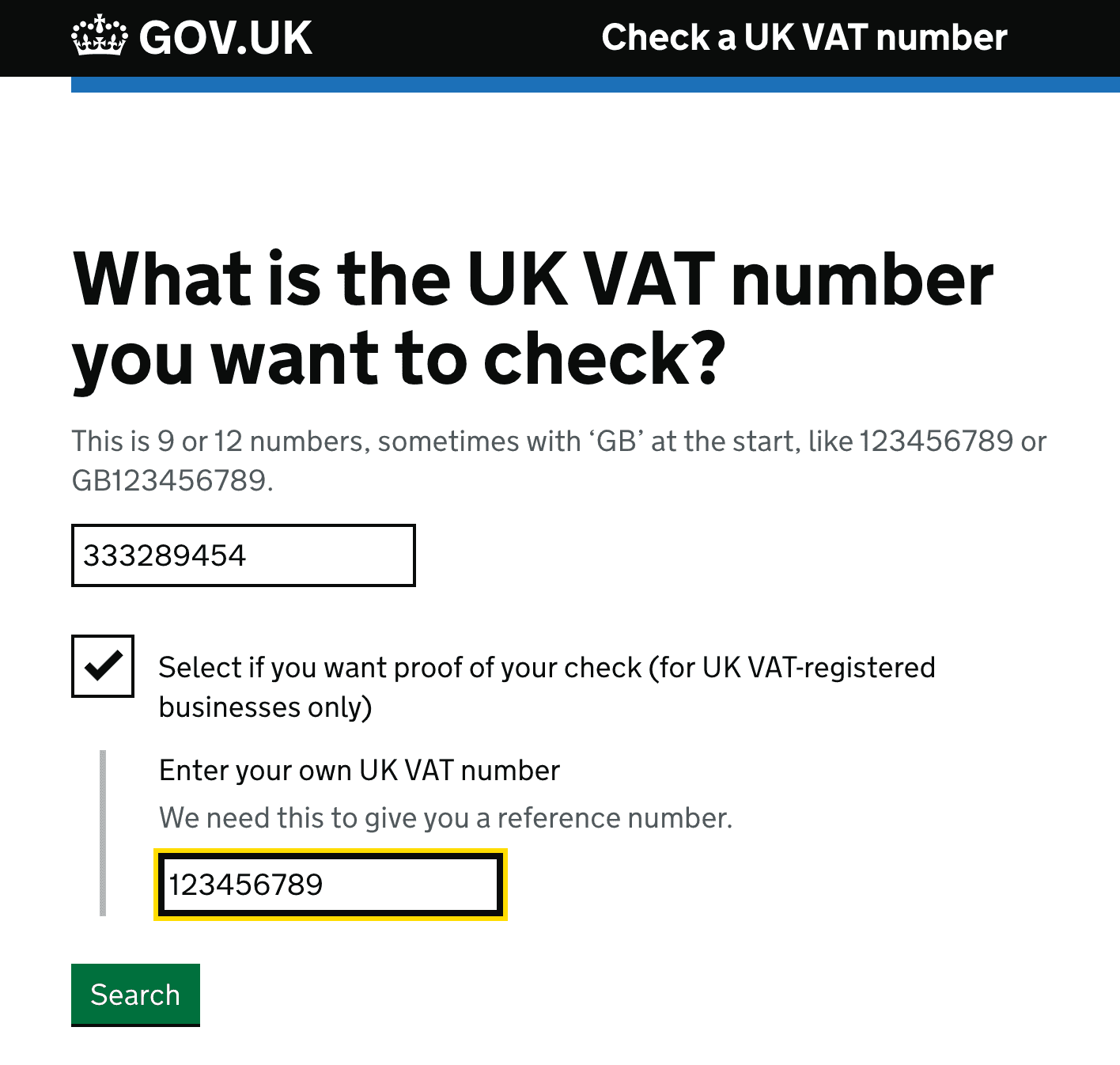
Just make sure before you press Search, that you check the box that says: "Select if you want proof of your check (for UK VAT-registered businesses only)", and enter your british VAT-ID.
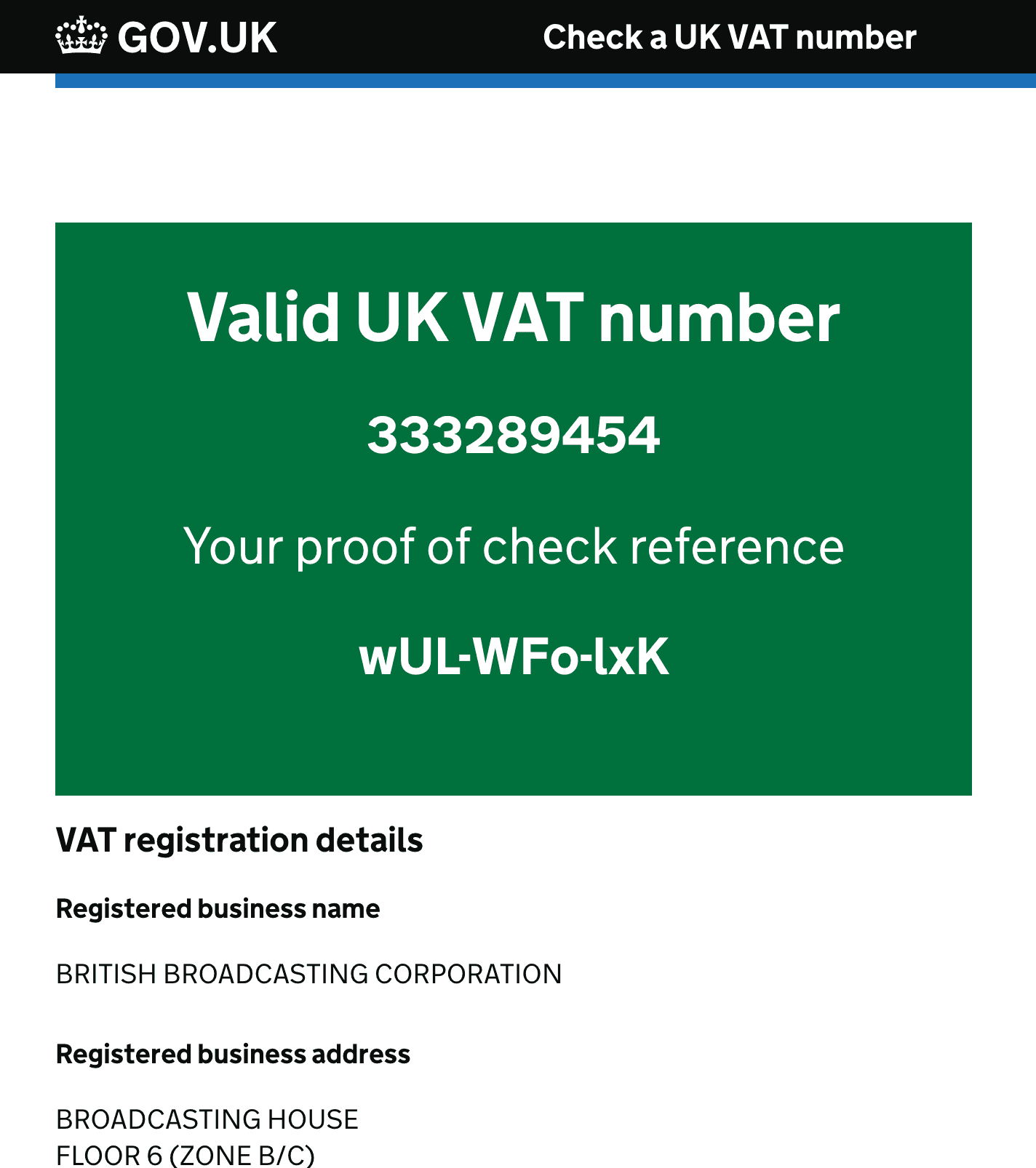
Remember to save the consultation number as the proof of your verification.
How to verify an European VAT ID manually?
You can use the VIES system.
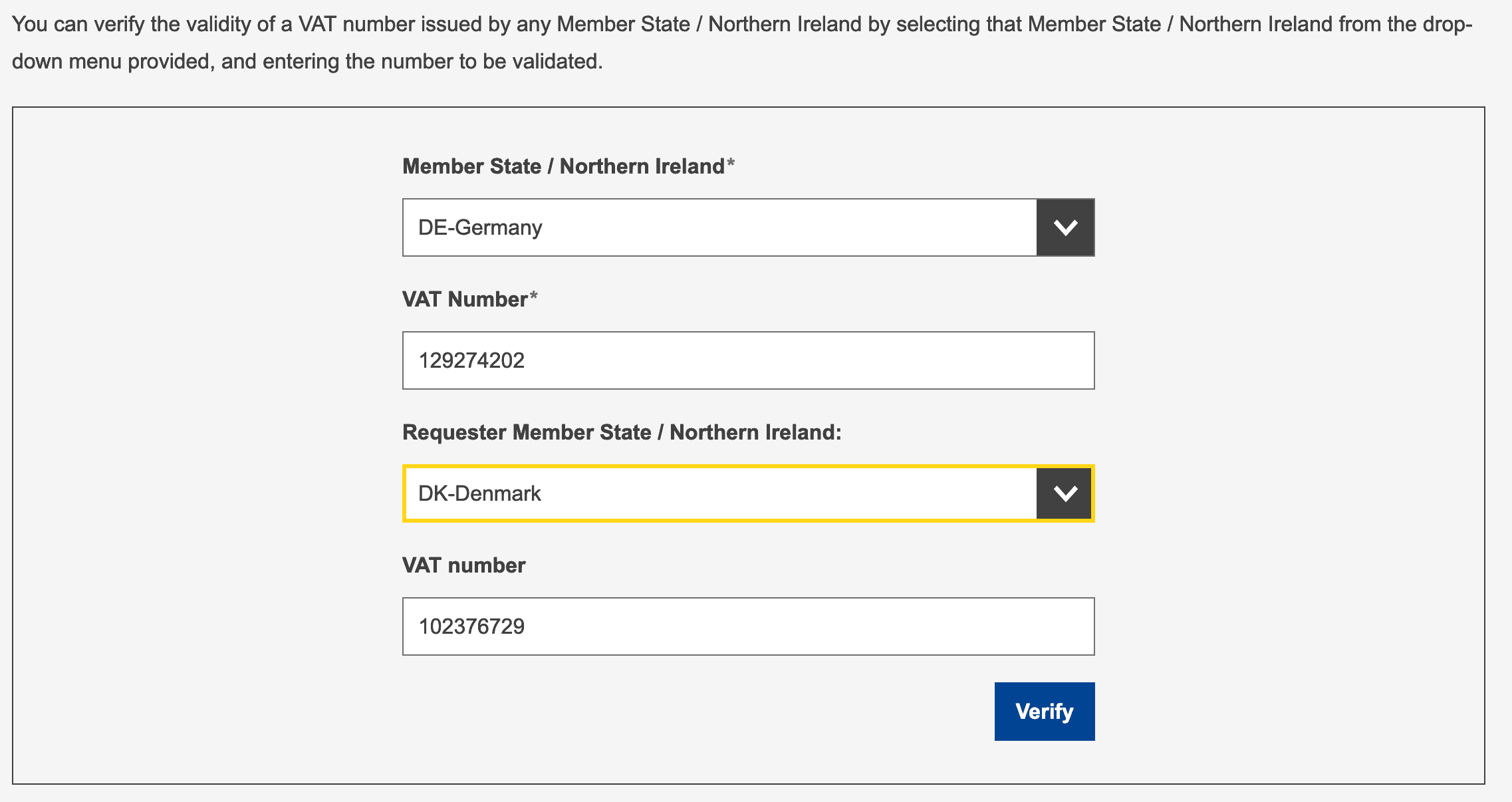
Make sure before you press Verify, that you add your VAT-ID information in the text boxes.
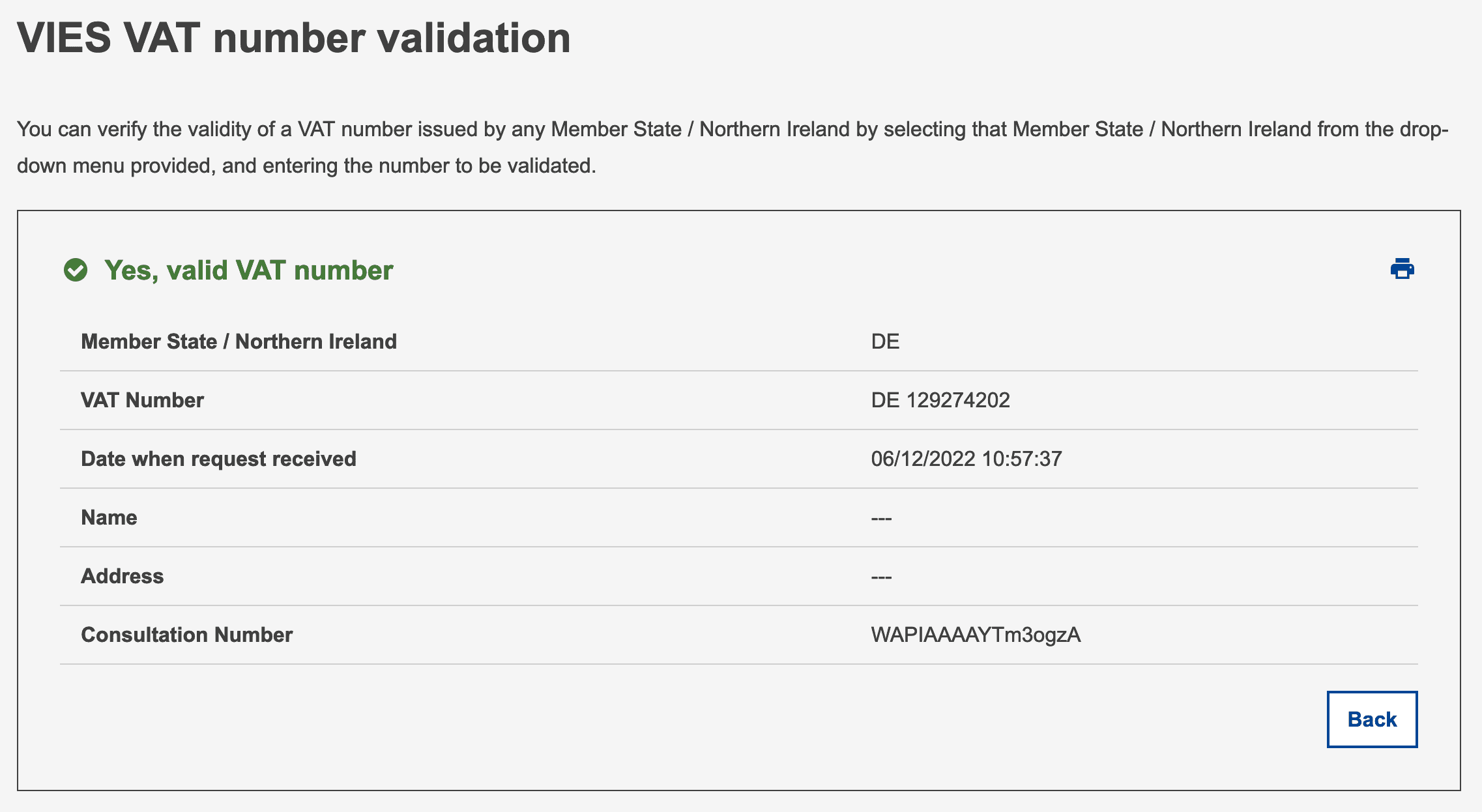
Remember to save the consultation number as the proof of your verification.
Automatic audit-proof VAT ID verifications with Askfino
Alternatively, businesses can use a tool like Askfino, which automates the VAT ID verification process and saves for you the consultation numbers for audit-proof verifications.
To use Askfino, businesses simply need to save their VAT ID in the system and start using it to verify the IDs of their customers.
How to use Askfino to have audit-proof VAT IDs verifications?
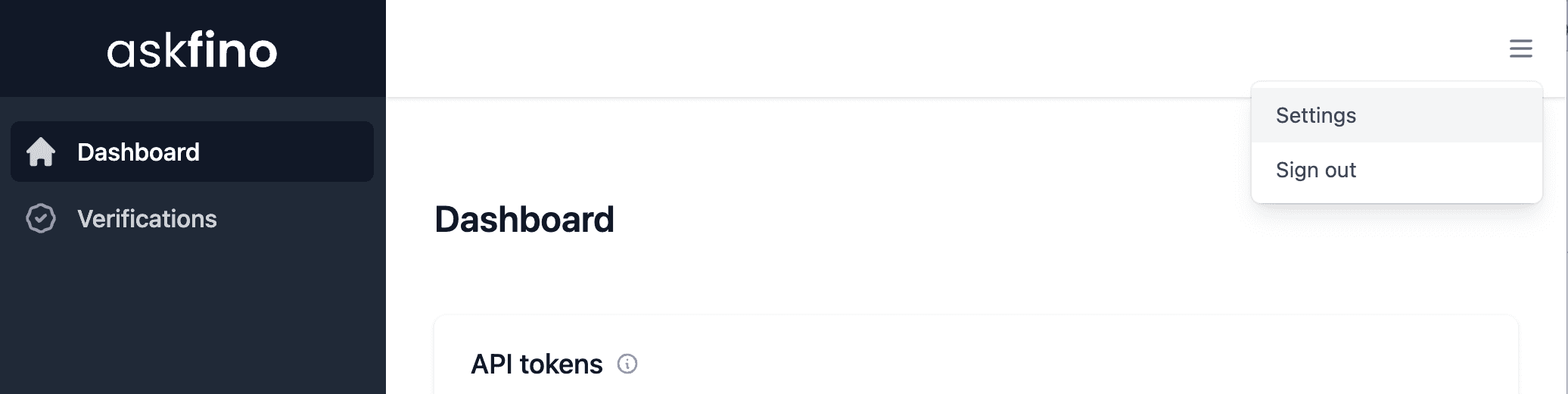
You need to go to the Settings menu clicking on the upper-right menu button.
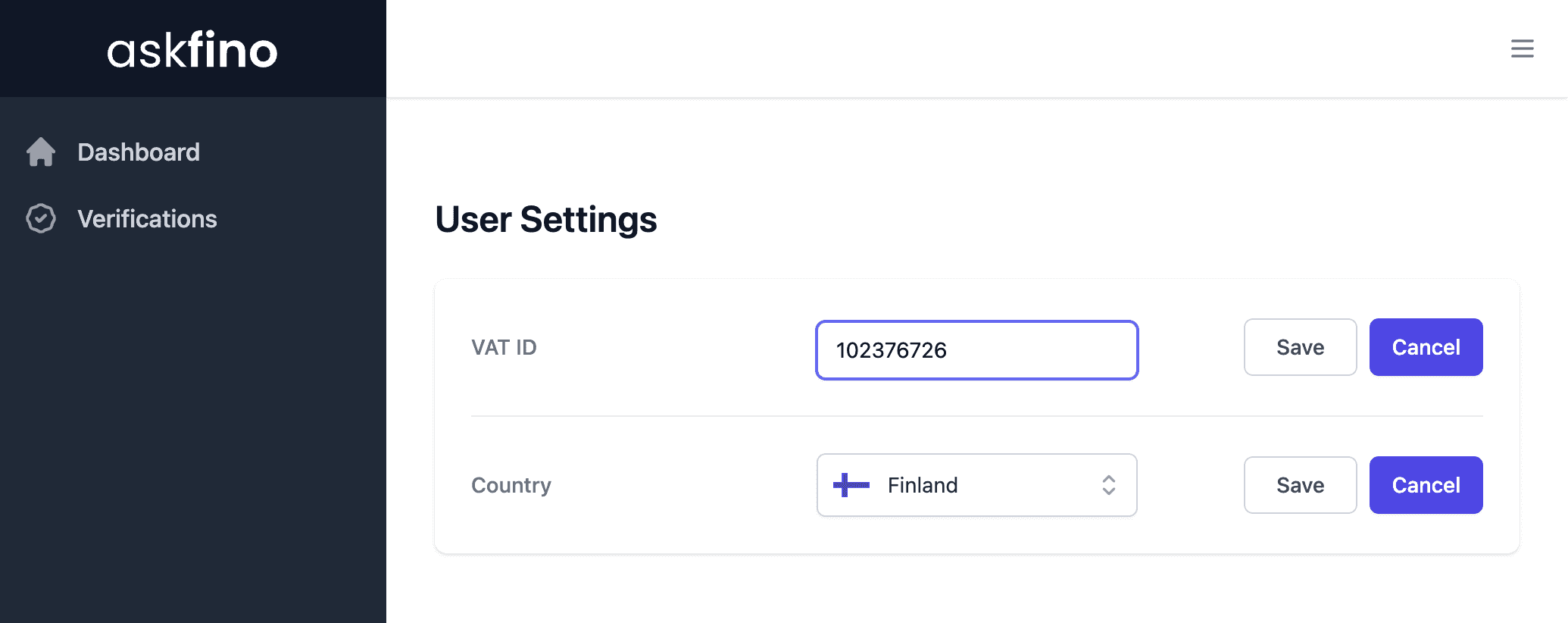
Add your VAT-ID information and click on Save.
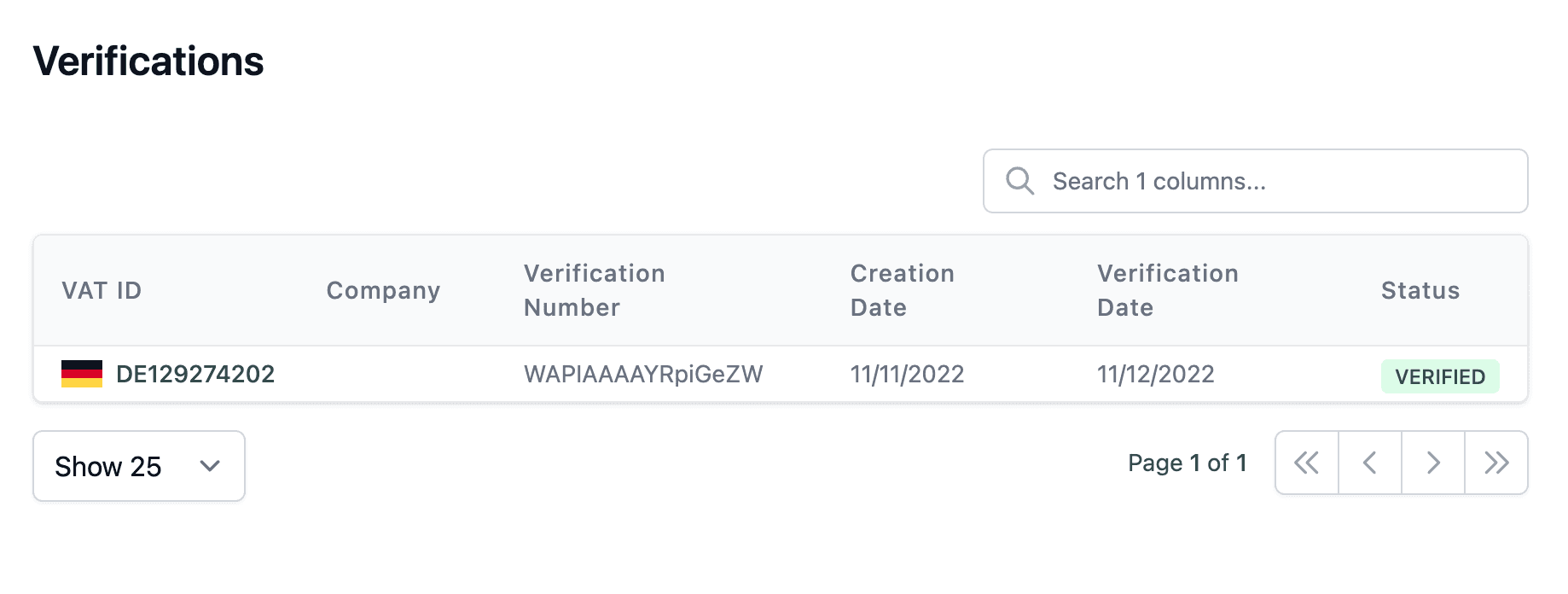
Once that is done you can start using Askfino to have audit-proof VAT ID verifications.
Ready? Start a free trial today to begin audit-proof VAT ID verifications.